
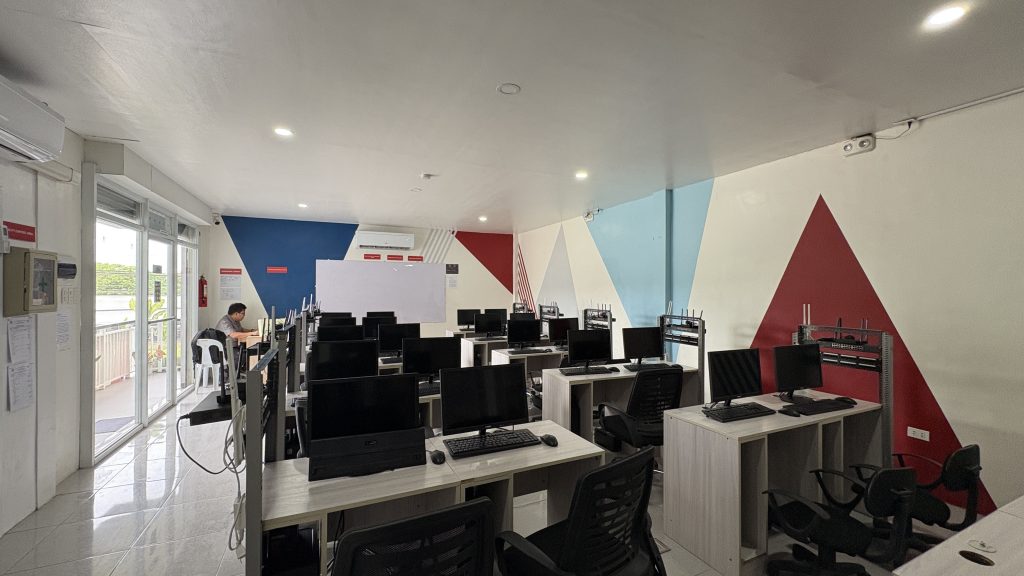
The Technical-Professional (Tech Pro)
The Technical-Professional (TechPro) Track is the second of the two primary pathways in the new Strengthened Senior High School (SHS) Curriculum. Replacing the old Technical-Vocational-Livelihood (TVL) track, it is designed for students who want to enter the workforce, start a business, or pursue middle-level skills development immediately after graduation.
Here is a summary of its key features:
- The Core Objective
While the old TVL track often felt like a “second choice,” the TechPro track is a high-standard professional pathway. It focuses on industry-aligned competencies developed in collaboration with TESDA and industry partners to ensure graduates are truly “job-ready.”
- Elective Clusters
Instead of the previous narrow strands, TechPro students choose from five major clusters. These clusters group related skills to provide a broader but more intensive technical education:
- Information and Communication Technology (ICT): Includes programming, animation, and networking.
- Industrial Arts: Includes automotive, electrical, and construction-related skills.
- Agriculture and Fishery Arts: Focuses on modern farming, food processing, and fisheries.
- Family and Consumer Science: Includes culinary arts, tourism, and hospitality.
- Maritime: Specialized training for maritime-related careers.
- Intensive Time Allotment
The TechPro track prioritizes hands-on “lab” time over theoretical classroom hours.
- Grade 11: TechPro electives are taken for a total of 320 hours across the entire year.
- Grade 12: TechPro electives are condensed into 320 hours in just one semester to make room for an extended immersion.
- Extended Work Immersion
One of the most drastic changes is the length of the “internship” or Work Immersion. In the old curriculum, it was typically only 80 hours. Under the Strengthened Curriculum, TechPro students can undergo 160 to 320 hours (and in some specialized programs, even more) of actual industry experience.
- Professional Certification
The goal of every TechPro student is to graduate with a National Certificate (NC) from TESDA. The curriculum is mapped directly to these certifications, allowing students to be assessed and certified as professionals before they even leave high school.
To officially begin your enrollment process, please follow these instructions:
Location: Head to the Guidance Office.
Action: Request your Admission Slip from the guidance counselor or staff on duty.
Note: Ensure you have your basic identification (such as your Student ID or Government ID) ready, as it may be required for verification.
FOR NEW/ TRANSFEREE STUDENTS (GRADE 11-12):
- SF9/ Report card
- SF10/ F137
- ESC/QVR certificate (if grantee)
- Certificate of completion (photocopy)
- NCAE photocopy
- Good Moral certificate
- PSA Birth certificate (2 copies)
- Long brown envelope
- Recent 2×2 ID photo, white background (2pcs.)
- Photocopy of passport of foreign student holder of Philippine passport
RETURNING STUDENTS
- SF9/ Report card
- Summer certificate (Junior High School if with deficiency)
- For Online NEW students, click the registration link provided by the Registrar’s Office
- For Online OLD students, follow the enrollment steps in your Edusuite dashboard.
- Click on the button to fill out the enrollment form
NOTE: If onsite, Registrar can assist or you can personally do the encoding
- Assessment and payment of School fees
- Pay tuition and other school fees
- Payment options are the following:
- Onsite campus cashiers
To proceed to step 5 for taking a school ID picture, follow these step-by-step instructions:
- Get ready and ensure you look presentable. Comb your hair and dress appropriately according to the school’s guidelines for ID photos.
- Wait for your turn in line if there are other students ahead of you. Be patient and courteous while waiting.
- When it’s your turn, follow the photographer’s instructions regarding posing and positioning. Look directly at the camera and maintain a natural smile.
- After the photo is taken, review it with the photographer.
- Make sure you are satisfied with how you look before finalizing the picture for your school ID.
- Claim textbooks, school uniform patterns, P.E uniforms, etc.
About
